 Browser extension for Power Automate documentation
FlowDoc Pro for Power Automate
Generate flow documentation, diagrams, runbooks, and handover reports.
FlowDoc Pro helps makers, administrators, consultants, and support teams document one Power Automate flow deeply from its exported definition JSON. It turns the flow into a practical report with action inventory, dependencies, risk findings, support notes, and exportable documentation.
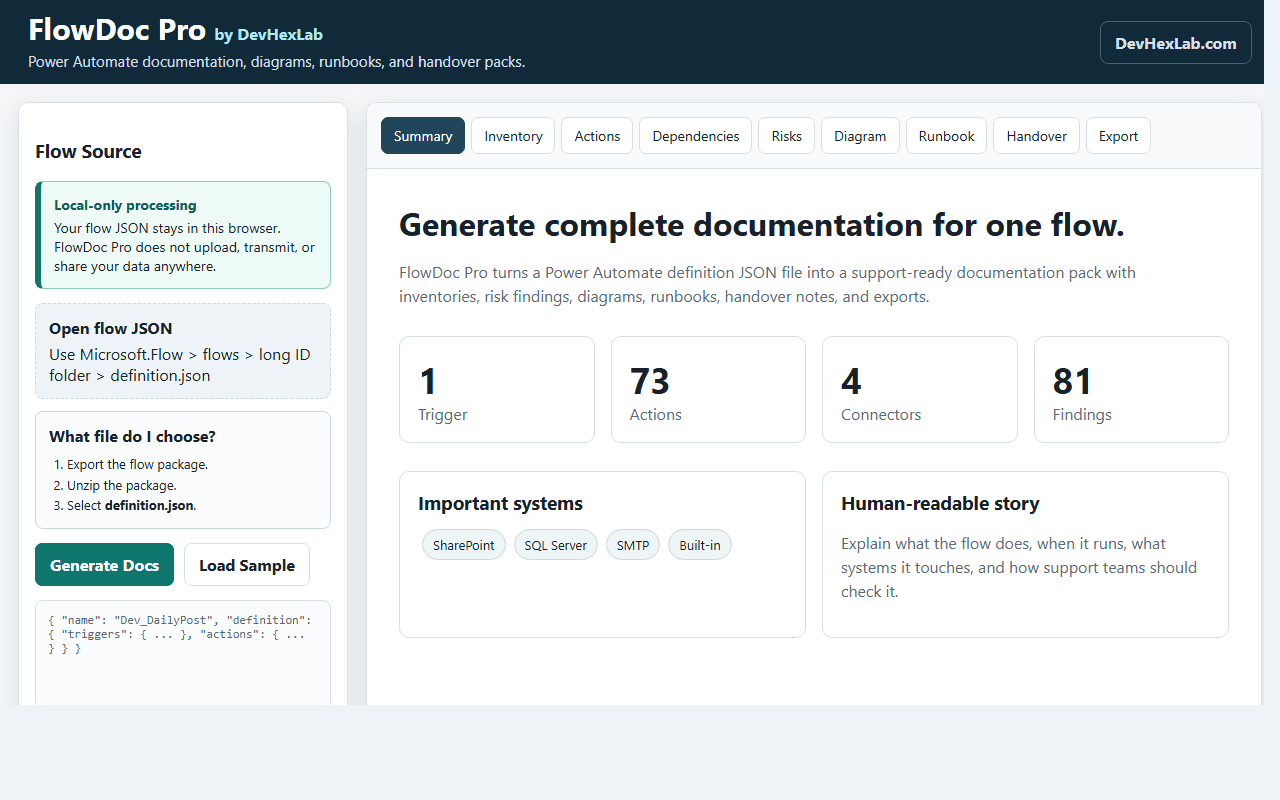
Your flow JSON stays in your browser
FlowDoc Pro is designed for local-only processing. The extension reads the selected Power Automate definition JSON in the browser and does not upload, transmit, sell, or share flow data with DevHexLab servers.
Saved documentation is stored in browser extension storage on the user's device unless the user exports it manually.
Complete flow documentation
Create a readable flow summary, business story, trigger explanation, action breakdown, and support handover notes.
Interactive diagrams
Turn triggers, actions, run-after dependencies, conditions, scopes, and loops into draggable visual diagrams and Mermaid source.
Risk and quality findings
Flag unclear action names, missing failure handling, hardcoded URLs, emails, GUIDs, secret-like values, and migration concerns.
Exportable reports
Export HTML, Markdown, JSON, CSV action inventory, Mermaid, Word-compatible reports, and PDF-ready handover packs.
See it in action
Every view is generated locally from the uploaded flow definition JSON — no server, no account.
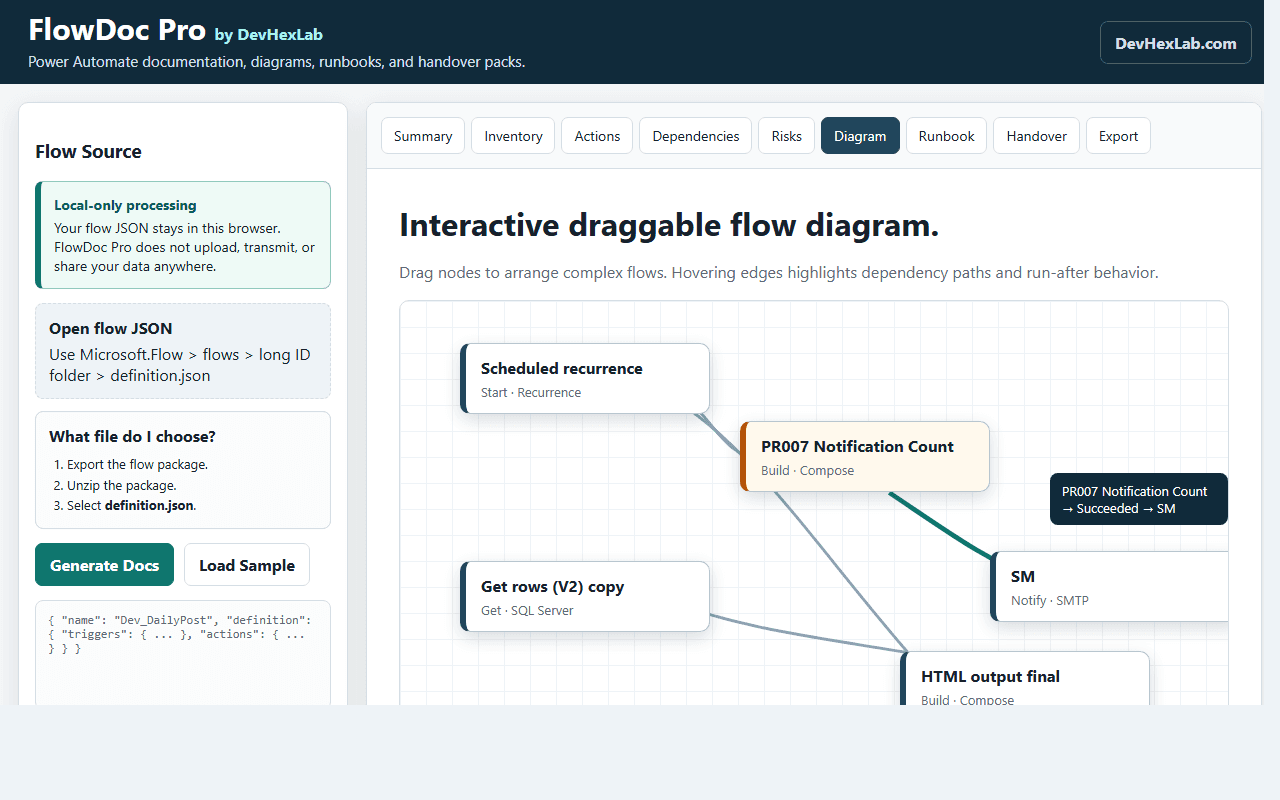
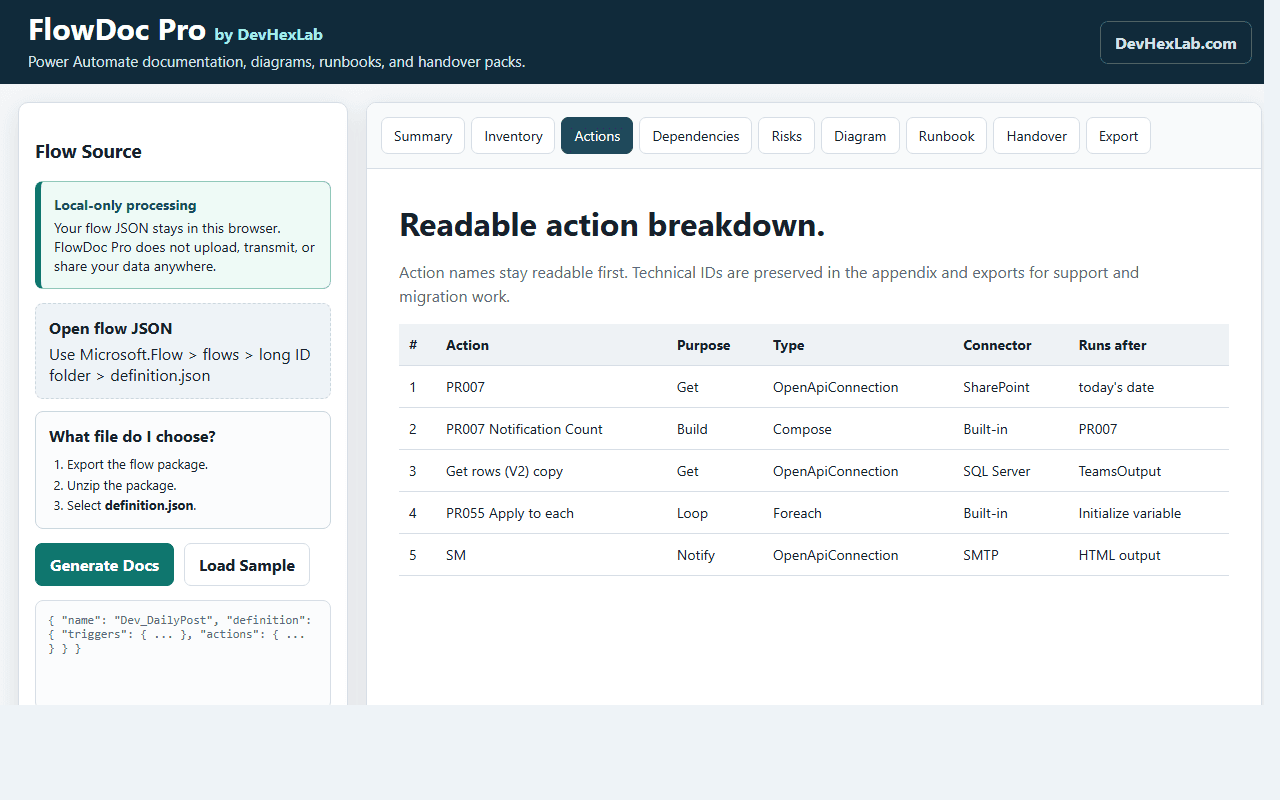
Review every action with readable names, purpose labels, connectors, and technical handover details.
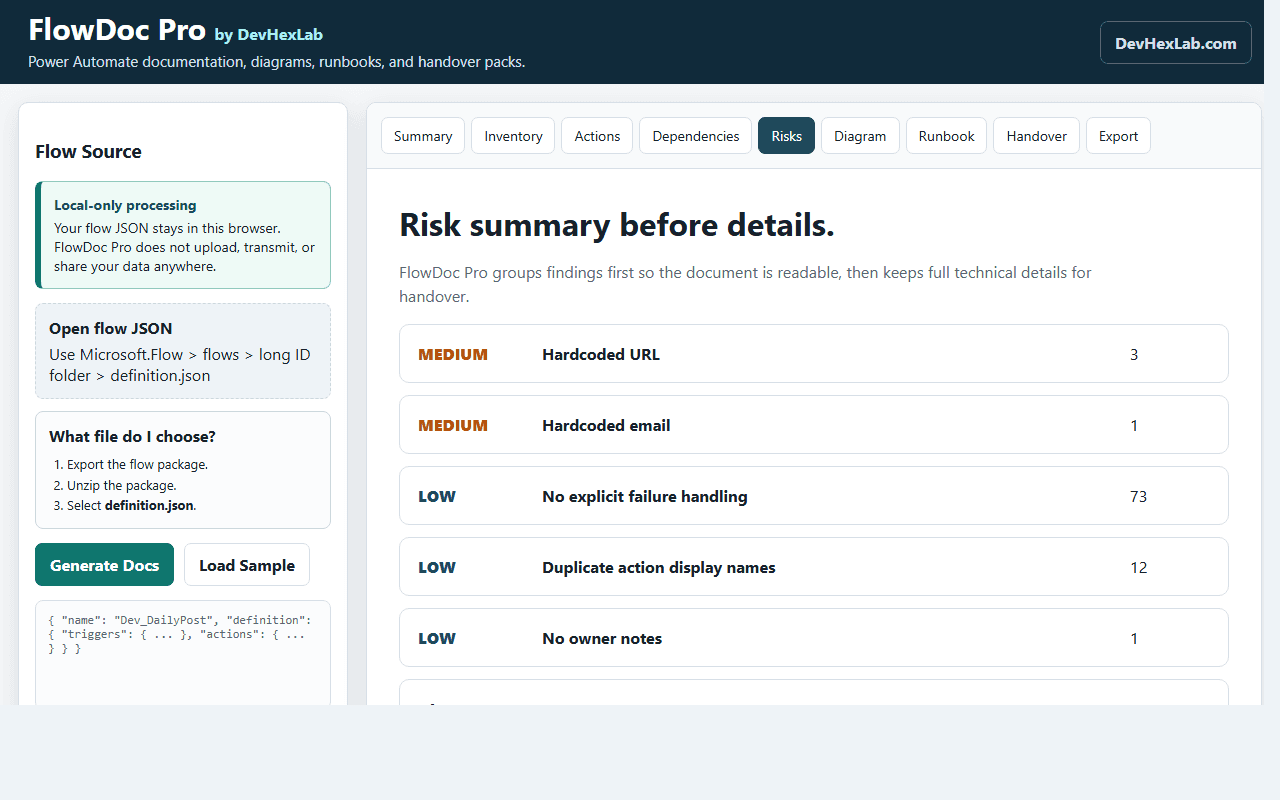
Find hardcoded values, missing failure handling, duplicate names, and migration risks.
Generate complete Power Automate flow documentation from definition.json.
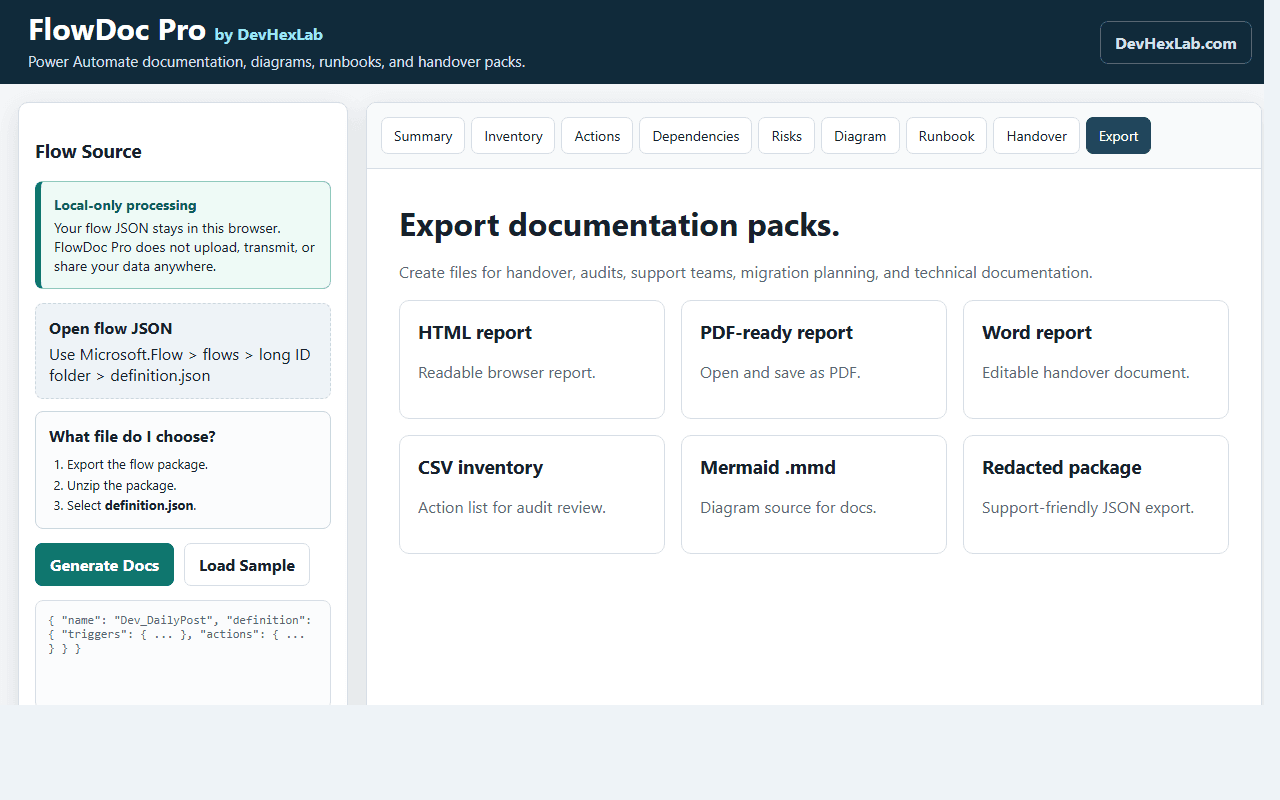
Export HTML, Word, PDF-ready reports, CSV inventory, Mermaid diagrams, JSON, and redacted support packages.
What to upload
The most common mistake is uploading the package manifest. FlowDoc Pro needs the actual workflow definition file because that is where the triggers and actions live.
- 1Export the flow from Power Automate as a package.
- 2Unzip the downloaded package.
- 3Open Microsoft.Flow > flows > the long ID folder.
- 4Choose definition.json. Do not choose manifest.json.
- 5Upload definition.json into FlowDoc Pro and generate the documentation pack.
What it produces
- Flow summary and human-readable process story
- Technical inventory of triggers, actions, scopes, conditions, loops, variables, expressions, and connectors
- Readable action-by-action breakdown with one-word purpose labels
- Connector and dependency report for SharePoint, Dataverse, SQL, HTTP, Teams, Outlook, and other services
- Risk findings and migration cleanup recommendations
- Support runbook and handover checklist
- Interactive flow diagram and Mermaid .mmd export
Privacy and permissions
FlowDoc Pro does not require a DevHexLab account or a DevHexLab backend to generate documentation. It works from a user-selected flow definition JSON file and stores saved documentation locally in browser extension storage.
Read the FlowDoc Pro privacy policy for store-review details about local processing, browser storage, exports, and data handling.